Quick Door Fingerprint Lock Installation Guide for CleanroomIn the efficient operation of a cleanroom, the installation of the quick door fingerprint lock is of vital importance. It not only ensures the safety of the workshop but also enhances the convenience of personnel entering and exiting. Here are the detailed installation steps.
Pre-installation Preparation
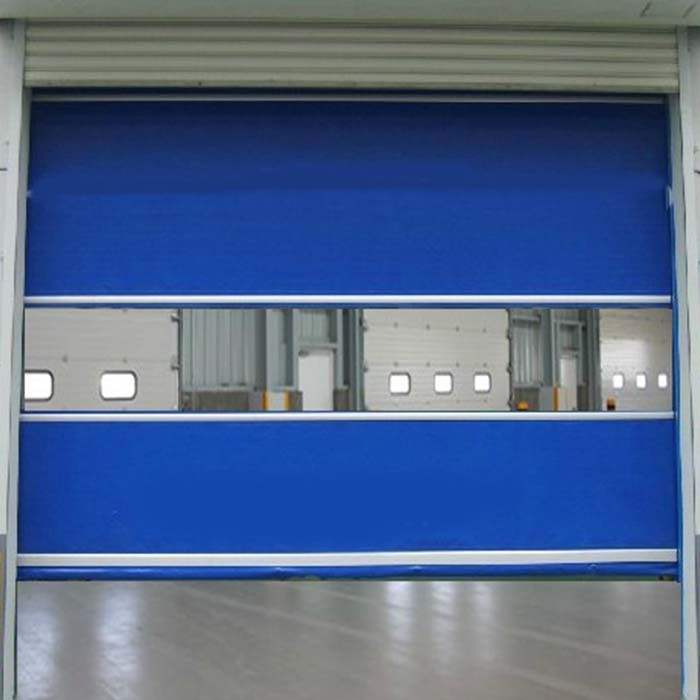
Before starting the installation, thorough preparations must be made. First, carefully check if all the accessories of the fingerprint lock are complete, including the lock body, lock core, fingerprint recognition module, screws, batteries, etc. Ensure that all accessories are undamaged and not missing. At the same time, prepare the necessary tools for installation, such as screwdrivers, electric drills, level meters, etc. Also, inspect the quick door of the dust-free workshop to ensure that the surface is flat, the structure is stable, and it is suitable for installing the fingerprint lock.
Determine the installation location
Use a level to determine the installation position of the fingerprint lock on the quick door. Generally, the fingerprint lock should be installed on the side of the door, with the height being convenient for operation by people. Usually, it should be about 1.3 - 1.5 meters above the ground. Mark the position of the installation holes to ensure they are accurate.
Drilling and installing the lock body
According to the marked hole positions, use an electric drill to carefully drill holes in the door. Pay attention to controlling the depth and diameter of the holes, making sure they match the screws of the lock body. After drilling, insert the lock body into the installation holes and use a screwdriver to tighten the screws to ensure the lock body is firmly installed on the door.
Connecting the lines
Open the back cover of the fingerprint lock, and connect the lines of the fingerprint recognition module to the internal lines of the lock body. Carefully refer to the wiring diagram to ensure the correct and secure connection. At the same time, install the battery in the designated position to provide power for the fingerprint lock.
Debugging and Testing
After the installation is completed, carry out debugging and testing. First, set the administrator´s fingerprint and input it according to the operation instructions of the fingerprint lock. Then, use the administrator´s fingerprint to conduct a door-opening test to check the accuracy of fingerprint recognition and the smoothness of door opening. At the same time, test other functions, such as password-based door opening and card-based door opening, to ensure that all functions are normal.
Cleaning and Final Touches
After the installation and debugging are completed, use a clean cloth to wipe the surfaces of the fingerprint lock and the quick door clean, removing the dust and stains left during the installation process. Ensure that the clean environment of the dust-free workshop is not affected.
By following these steps, we can complete the installation of the fingerprint lock for the quick door in the dust-free workshop. During the installation process, it is essential to strictly adhere to the operating standards of the dust-free workshop to ensure the installation quality and the normal operation of the workshop.